
After extracting a large number of WhatsApp contacts, contact names become an important part of the quality of the final list. If you save phone numbers without a clear naming structure, it can be harder to identify their source or manage them later in your phone, Google Contacts, or an exported file. HeroBot App for Android provides contact naming tools before saving or exporting.
This guide focuses on the naming stage itself: when to organize names, why it is useful to do so before export, and how this step fits with country filtering and final export to Excel, CSV, VCF or Google Contacts.
Why organize contact names before export?
With a small list, manual renaming may be manageable. With a larger list, manual editing becomes slower and less consistent. Using a clear naming pattern before export makes the list easier to review and search and can help you recognize the source or purpose of the contacts later.
If you are starting from the extraction step, see the complete guide to extracting and exporting WhatsApp contacts before moving to contact naming.
1. Extract contacts from the right source
Start by extracting contacts from the source you are working with, such as individual chats, groups, communities or labels. When the results appear, review the list before you begin organizing names.
If the source is a group, see the WhatsApp group contact extraction guide. If the source is a community, use the WhatsApp Community contact extraction guide.
2. Filter the results before naming when needed
If the list includes phone numbers from multiple countries and you do not need all of them, apply the country filter first. This lets you organize only the contacts you actually plan to keep instead of naming a larger list and removing part of it later.
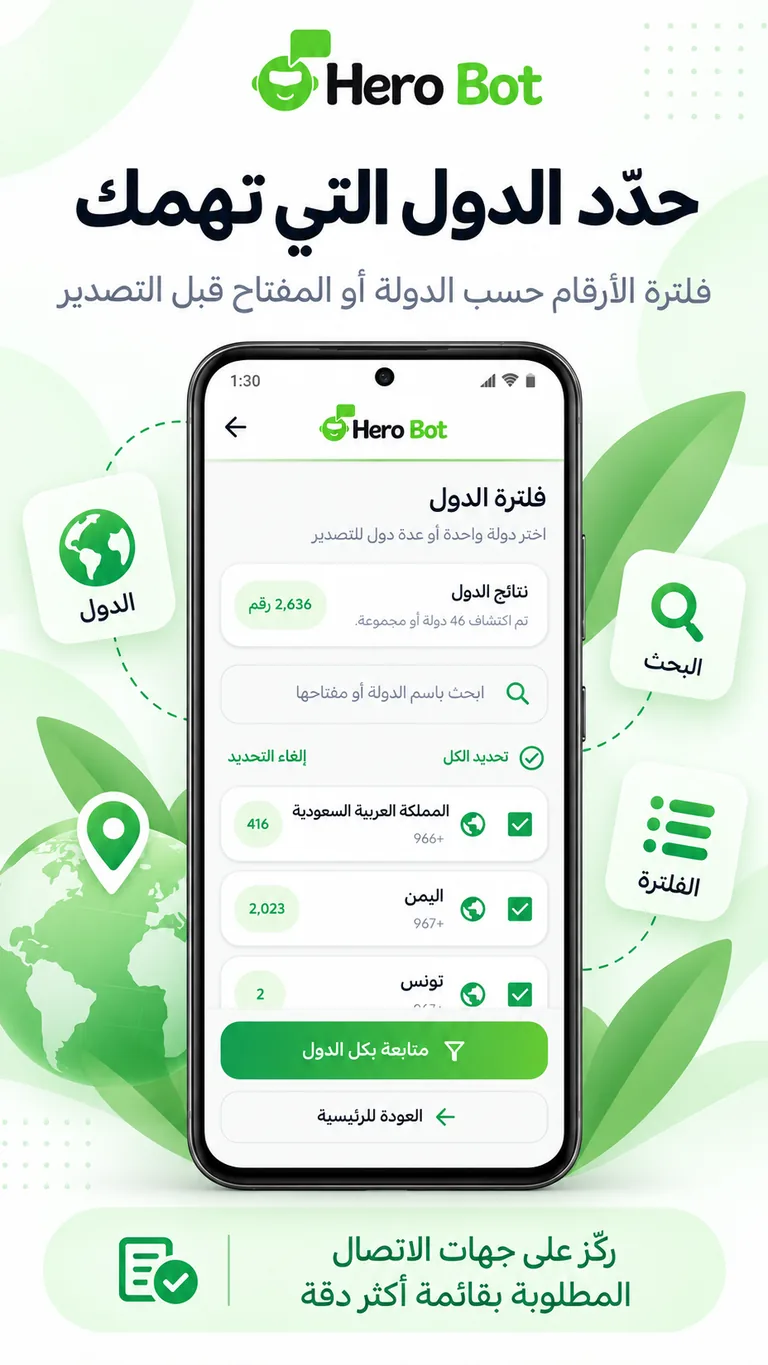
For a focused walkthrough of this step, see the guide to filtering WhatsApp contacts by country before export.
3. Use a clear and consistent naming pattern
After narrowing the list to the results you need, move to the contact naming tools in HeroBot. The goal is to make contact names more consistent before you create a file or save the contacts. Choose a pattern that helps you understand the source or purpose of the list without manually renaming every contact after import.
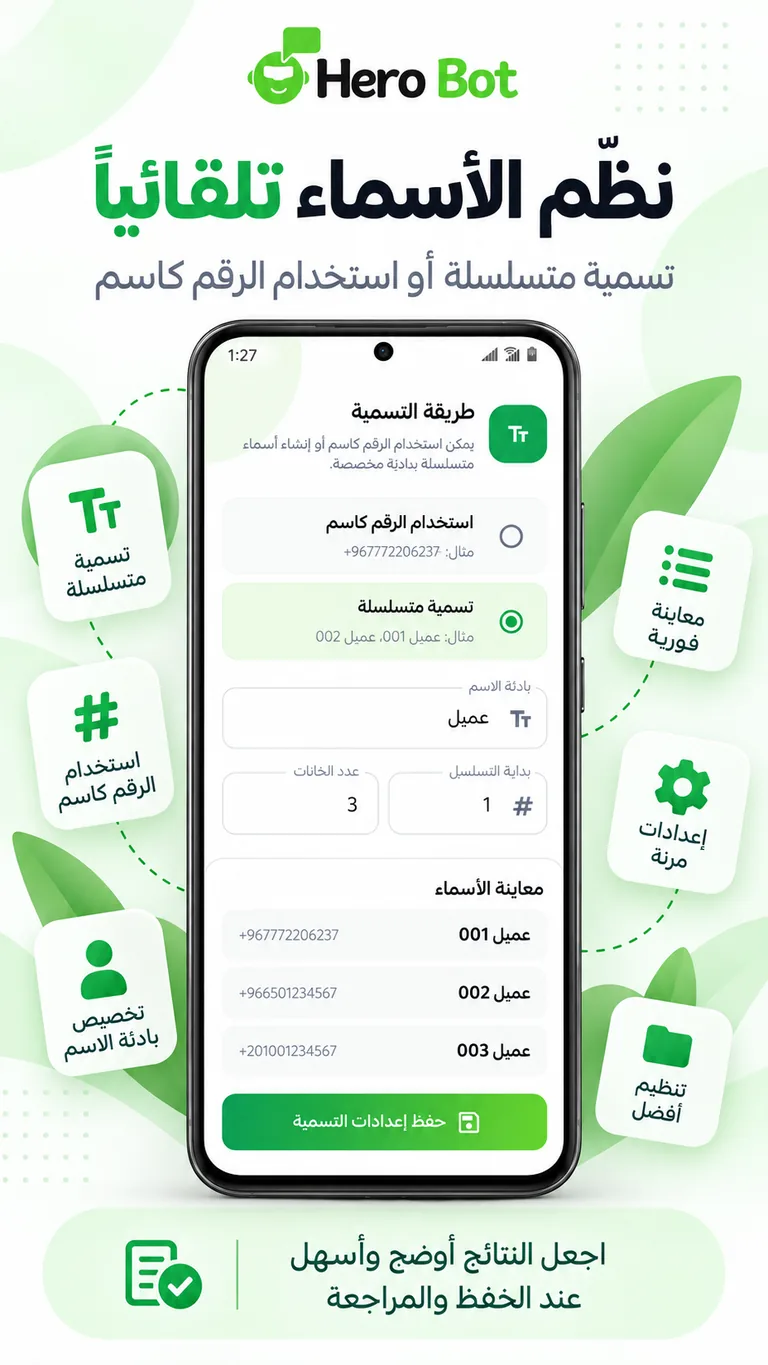
Consistency is the important part. If you work with multiple lists, use a naming approach that remains understandable to you and your team when the data is reviewed later.
4. Review names before creating the final file
Before export, perform one final review. Confirm that the naming pattern is suitable and that the list contains the results you want. This is easier to correct before creating the file than after the data has already been exported.
- Confirm that the final list is the list you intended to use.
- Review the consistency of the naming pattern.
- Make sure the country filter is applied if you only need a specific region.
- Choose the export format based on the next step in your workflow.
5. Export to Excel after organizing names
Choose Excel when you want to review the contact list as a spreadsheet. Because names have already been organized, the file starts with clearer data and can be easier to sort and review when the list is large.
For help choosing the final file type, see the Excel vs CSV vs VCF comparison for WhatsApp contacts.
6. Export to CSV or VCF
Choose CSV when you need to move the data into a system that accepts structured files, or VCF when your goal is to import the list as contacts into an application or device that supports vCard files.
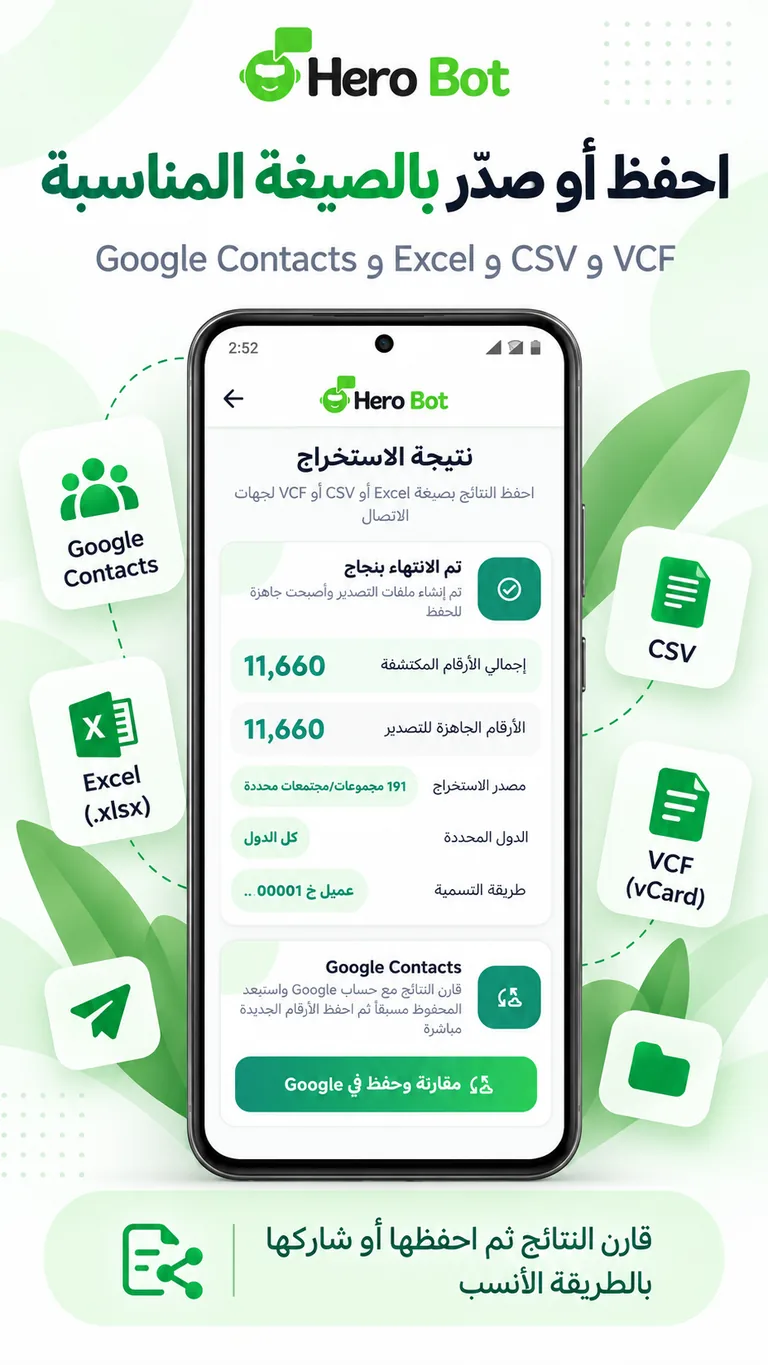
Organizing names before creating any of these files can reduce the need to rename contacts after import.
7. Save to Google Contacts
If you do not need an intermediate file, you can save the reviewed and organized results to Google Contacts. This is useful when you want to use the list directly as contacts on devices connected to your Google account.
Best practices for organizing large contact lists
- Organize names after narrowing the list to the contacts you actually need.
- Use a consistent pattern within each list.
- Review the list before exporting or saving.
- Choose the export format based on the system that will receive the data.
- Use contact data in line with the legal and privacy requirements that apply to your activity.
Start organizing contacts with HeroBot
You can review contact extraction, country filtering, naming and export features on the HeroBot App for Android page. If you need customer conversation management and automation through WhatsApp API, visit the HeroBot WhatsApp API platform.
WhatsApp is a trademark of its respective owner. HeroBot is an independent product.