
When you extract a large number of WhatsApp contacts, the results may contain phone numbers from several countries. In that case, filtering by country can be useful before export because it lets you narrow the list to a specific market or region instead of exporting everything and cleaning the file manually later.
HeroBot App for Android lets you filter extracted results by country, then continue with contact naming and export to Excel, CSV or VCF, or save the final list to Google Contacts.
When should you filter WhatsApp contacts by country?
This step is useful when your extracted results come from a group, community or another source that includes phone numbers from multiple countries. Instead of exporting every result, you can first select the country you need and create a more focused list.
If you want to start with the extraction workflow itself, see the complete guide to extracting and exporting WhatsApp contacts.
1. Extract the contacts first
Start by selecting the appropriate extraction source in HeroBot. Once extraction is complete, review the results before filtering. It is better to confirm the list first instead of choosing an export format too early.
If your source is a group, see the WhatsApp group contact extraction guide. If your source is a community, see the WhatsApp Community contact extraction guide.
2. Open the country filter
After the extracted results appear, use the country filter to choose the country you want to work with. The goal is to narrow the list before moving to contact naming or export.
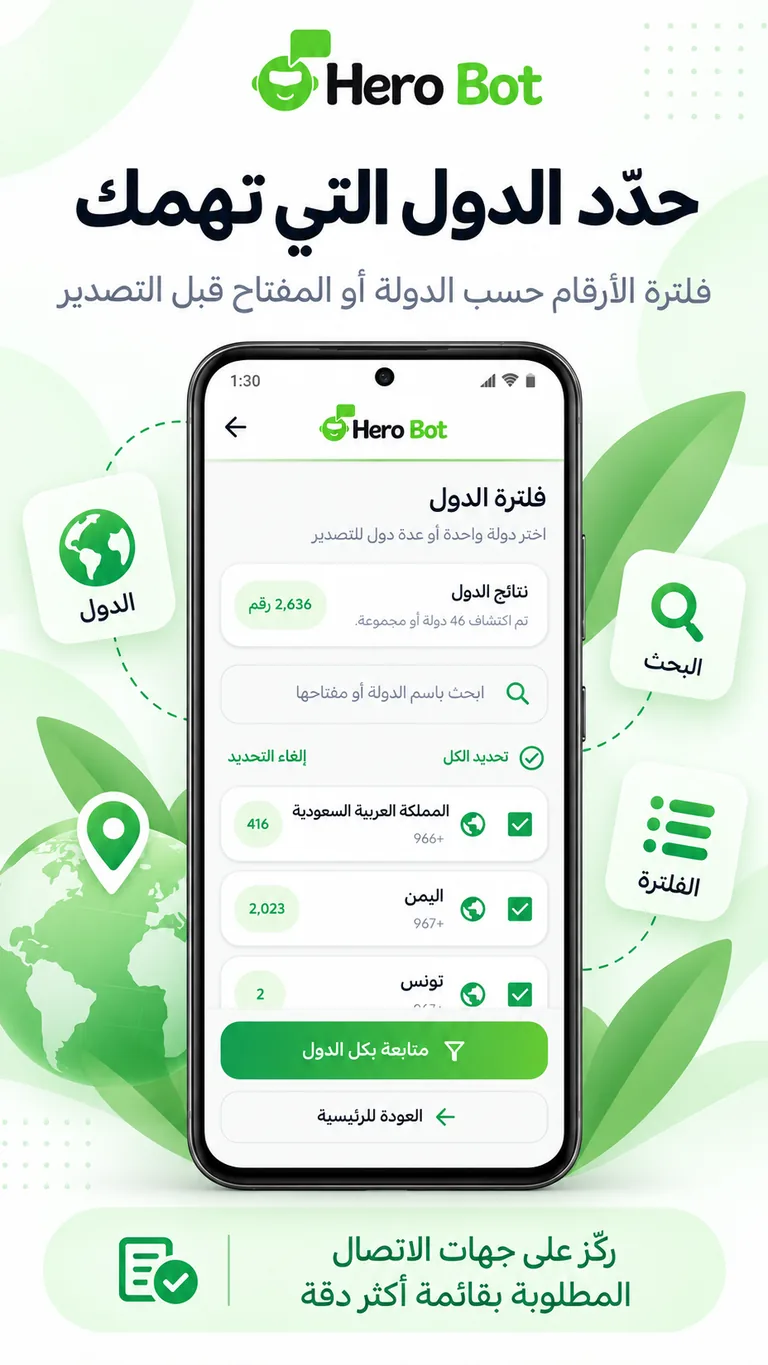
After applying the filter, review the remaining result count and make sure the selected region matches your intended workflow.
3. Why filter before exporting?
Filtering before you create a file keeps the final dataset easier to review. Instead of opening Excel and deleting unwanted rows afterward, you start with a list that is already closer to the result you need.
- Reduce unwanted results.
- Make the list easier to review before saving.
- Reduce manual cleanup after export.
- Create clearer lists for separate markets or regions.
After filtering, continue with the guide to organizing WhatsApp contact names before export.
4. Organize names after filtering
Once the country filter is applied, you can use a consistent naming pattern for the remaining contacts. Organizing names before creating the export file makes it easier to identify the source or purpose of the list later, especially when you work with more than one market.
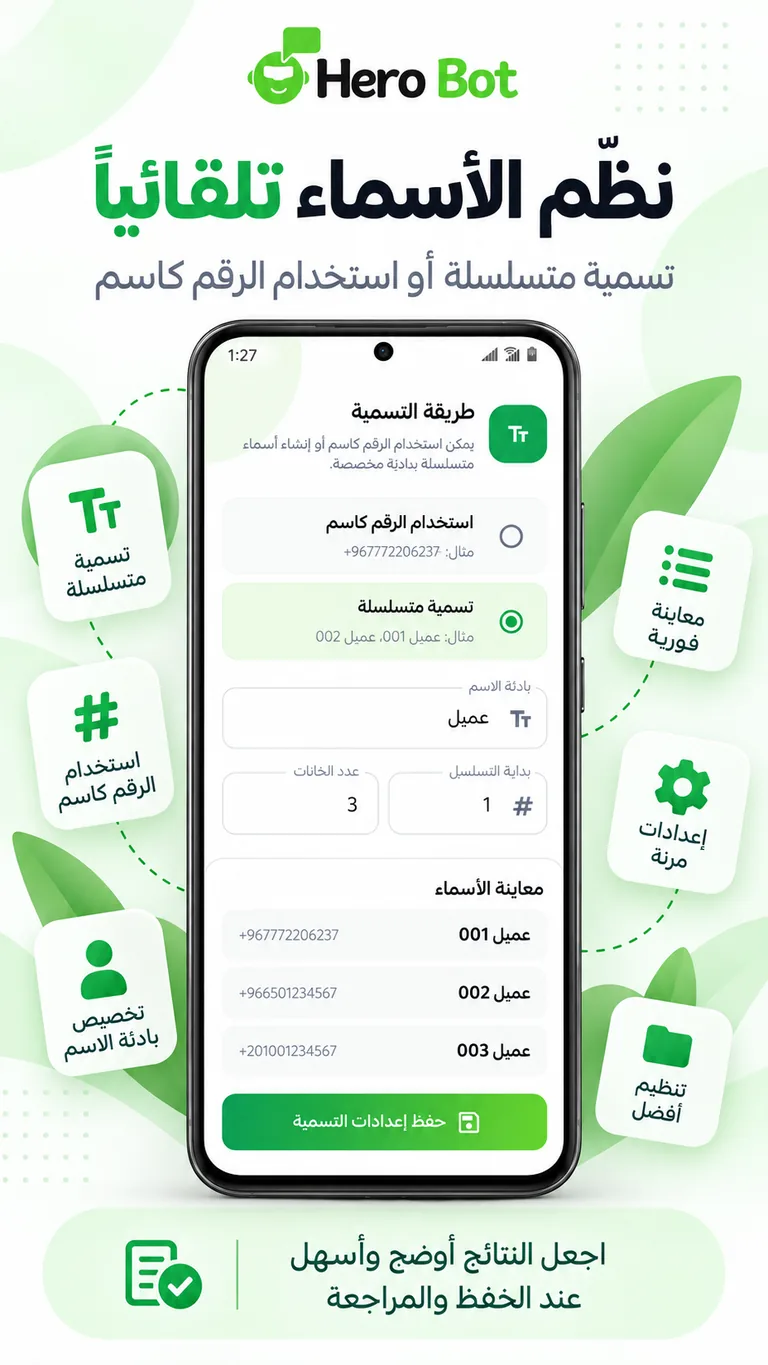
Choose a naming pattern that matches your workflow, then review the final list again before export.
5. Export filtered contacts to Excel
Choose Excel when you want to work with the final list as a spreadsheet. Because the country filter has already narrowed the results, the file starts with a more relevant set of contacts and requires less manual cleanup.
If your next step is choosing the export format, see the Excel vs CSV vs VCF comparison for WhatsApp contacts.
6. Use CSV or VCF instead of Excel
Choose CSV when the next system in your workflow expects a structured CSV file, or use VCF when you want to import the results as contacts into an application or device that supports vCard files.
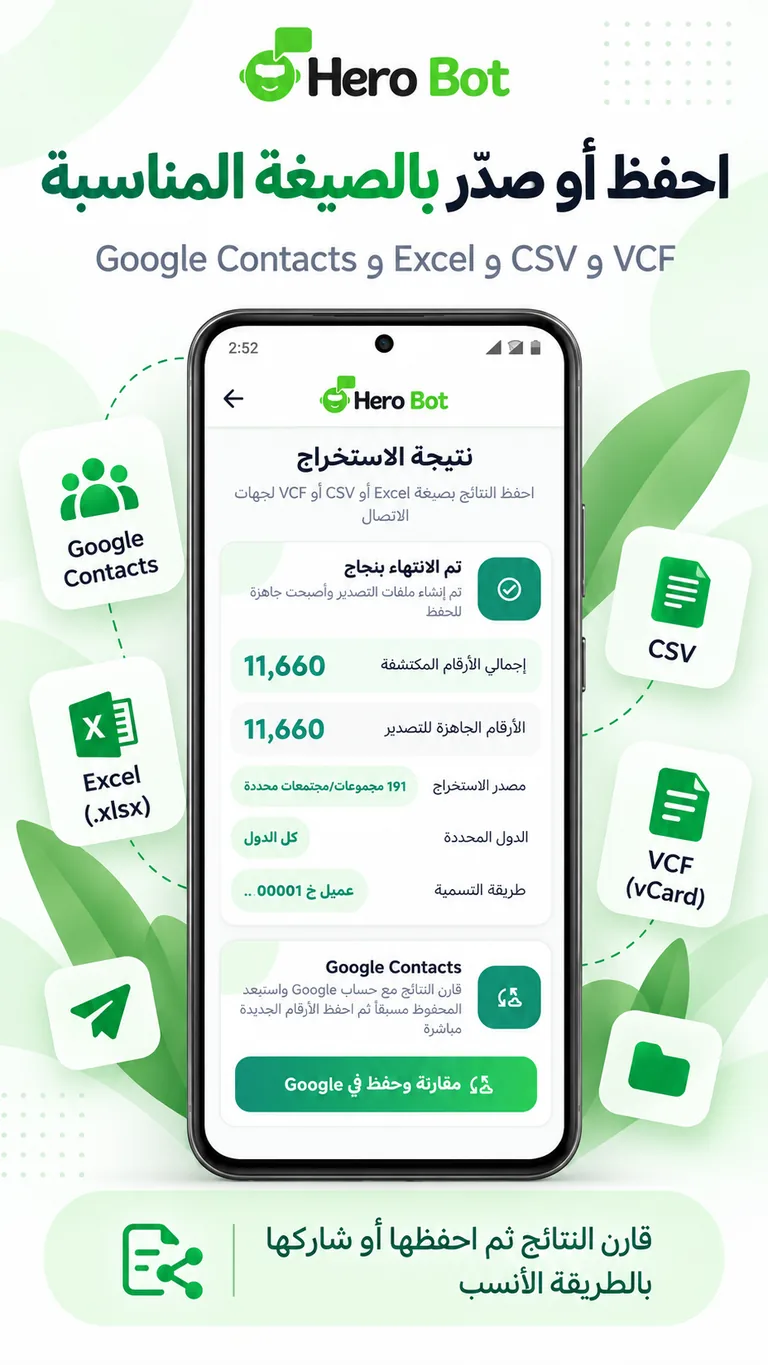
- Excel: for reviewing and working with the data as a spreadsheet.
- CSV: for systems that import structured CSV files.
- VCF: for importing the results as contacts.
- Google Contacts: for saving the final list directly to your Google account.
7. Save filtered results to Google Contacts
If your final goal is to use the results as contacts, you can save the filtered list to Google Contacts. Review the names and result count first so the saved list contains only the contacts you actually want.
Tips when working with more than one country
- Work with one country at a time when you need separate lists.
- Use a naming pattern that identifies the market or region when useful.
- Choose the export format based on the system that will receive the data.
- Review the final results before saving or sharing them.
- Use contact data in line with the legal and privacy requirements that apply to your activity.
Start using the country filter in HeroBot
You can review extraction, country filtering, contact naming and export features on the HeroBot App for Android page. If you need customer conversation management and automation through WhatsApp API, visit the HeroBot WhatsApp API platform.
WhatsApp is a trademark of its respective owner. HeroBot is an independent product.